Author Topic: At&t U verse 'specail port forwarding' for minecraft servers  (Read 8543 times)

no its a 3801HGV to lazy to get a picture

I host a Minecraft server that is port fowarded on a AT&T router. Did you make sure that the port foward is under your computer's name? Meaning clicking your computer's name from the router's list and then add the game?

I used to have uverse, it was very easy but I had to drop it because they ripped us off.

no its a 3801HGV to lazy to get a picture
I had that router. I don't know how to explain to get there to forward the ports though :(

I have Uverse and I port forward things fairly easily...

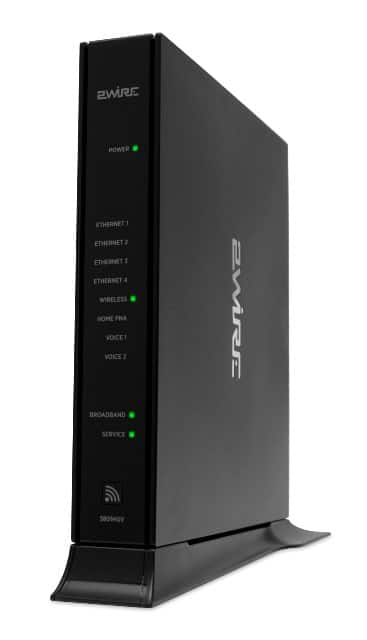
this huge box thing?


I hope you know that a google search could of helped you but really the simple way is this.

Open CMD (Windows 7 + Vista = Search "cmd" in the start menu)

Type in : ipconfig /all

Put the default gateway in the browser.

I don't know what the portal page for the router on this but screen cap it and PM it to me or something.


I host a Minecraft server that is port fowarded on a AT&T router. Did you make sure that the port foward is under your computer's name? Meaning clicking your computer's name from the router's list and then add the game?
yes did that
this huge box thing?


I hope you know that a google search could of helped you but really the simple way is this.

Open CMD (Windows 7 + Vista = Search "cmd" in the start menu)

Type in : ipconfig /all

Put the default gateway in the browser.

I don't know what the portal page for the router on this but screen cap it and PM it to me or something.
Ive done that...  and yes it looks kinda of like that... but instead of 2wire on the top it says At&t U verse but basically


What am I missing? and I ve taken away UDP and added it still nothing (I got sources that said to not have it then I had some to have it)

Try to do DMZ to your computer.

Try to do DMZ to your computer.

I'll be frank... I have bno idea what that is... eloborate please

I can finally host a server... I guess all I needed to do was fill in a DMZ bubble on the firewall setting... I feel stupid but I guess I deserve it
 overall thanks guys... Locking
« Last Edit: February 12, 2012, 11:03:20 PM by Saiytex »