Author Topic: Need help with BlueScreen BAD_POOL_HEADER  (Read 1764 times)

Anyway, so was playing blockland while yakking on skype and this stuff happens.
I get a bluescreen saying that it had to shut down with the little sad face and stuff, and it gives me its a BAD_POOL_HEADER bluescreen. Along with the file: ntoskrnl.exe
Anyone know what this means?
Ran it through BlueScreen View and said this stop code and was: 0x0000019
Anyway, ran Memory diagnostics, nothing was wrong there.
Heres a screenie of bluescreen view just so you know I'm not bullstuffting you.
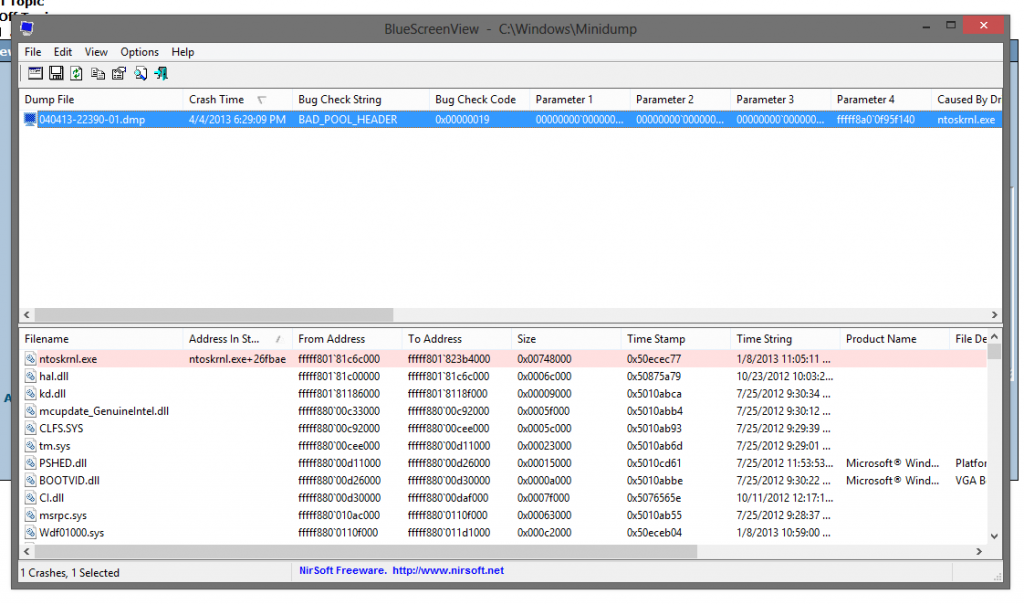
Anyway, anyone know what the forget this means?
Hope my computer isn't stuffting itself and dying, because its only 5 months old.


holy forget ntoskrnl is corrupt you are going to dieeeee

holy forget ntoskrnl is corrupt you are going to dieeeee
-nope, took this back-
« Last Edit: April 04, 2013, 07:58:31 PM by Maxx_ »

Why don't people Google this kind of stuff before they post?

Really? How irelevant can you get?
And before you go
hurp durp
joke
yur hed lel im fune
Actually be relevant.

ntoskrnl.exe is the Kernel shell of the Operating System, And since it's highlited in red, The operating system is Indicating that the problem was with that specific file.

This is how "Irrelevant" i can get

Why don't people Google this kind of stuff before they post?
Already googled it?
But most of the stuff i found were already solved topics that different people had.

Why don't people Google this kind of stuff before they post?
Because this is some people's go-to place before google. There's nothing wrong with that

ntoskrnl.exe is the Kernel shell of the Operating System, And since it's highlited in red, The operating system is Indicating that the problem was with that specific file.
I take that back
Sorry.
Anyway, what does it mean?
Do I have to just wipe and reinstall?

ntoskrnl.exe
ntos krnl
nt os krnl
NT (windows thing) OS Kernal
windows kernal.exe

Because this is some people's go-to place before google. There's nothing wrong with that
Well, thanks for explaining what I was trying to say.

I take that back
Sorry.
Anyway, what does it mean?
Do I have to just wipe and reinstall?
If you're not getting these BSoDs frequently: do nothing
Occasionally Windows just forgets up, that's all. However, if you start to see more of these; you might consider trying to search for a solution to your problem.

Also, since your still able to run Windows now, I doubt it's corrupt.
« Last Edit: April 04, 2013, 08:11:01 PM by Tyler66 »


If you're not getting these BSoDs frequently: do nothing
Occasionally Windows just forgets up, that's all. However, if you start to see more of these; you might consider trying to search for a solution to your problem.

Also, since your still able to run Windows now, I doubt it's corrupt.
Alright, should I do a chkdsk or something?
Just to see if everything is working.

See if it happens again this week. Sounds like a driver issue.

See if it happens again this week. Sounds like a driver issue.
The driver that got forgeted is the Windows NT OS Kernel, as Brian said:
ntoskrnl.exe
ntos krnl
nt os krnl
NT (windows thing) OS Kernal
windows kernal.exe